 Buy me a coffee
Protect Your Deep Work With an Open-Source Tracker
See how much of your day goes to your editor versus Slack and the browser, plan deep-work blocks around your energy, and get an honest AI review of your focus, all from a local-first app you can read the source of.
Why Produchive
Built for Deep Work
Coding and writing time count fully toward the Catfood you earn.
Context-Switch Insights
See how often you bounce between apps and how it affects your focus.
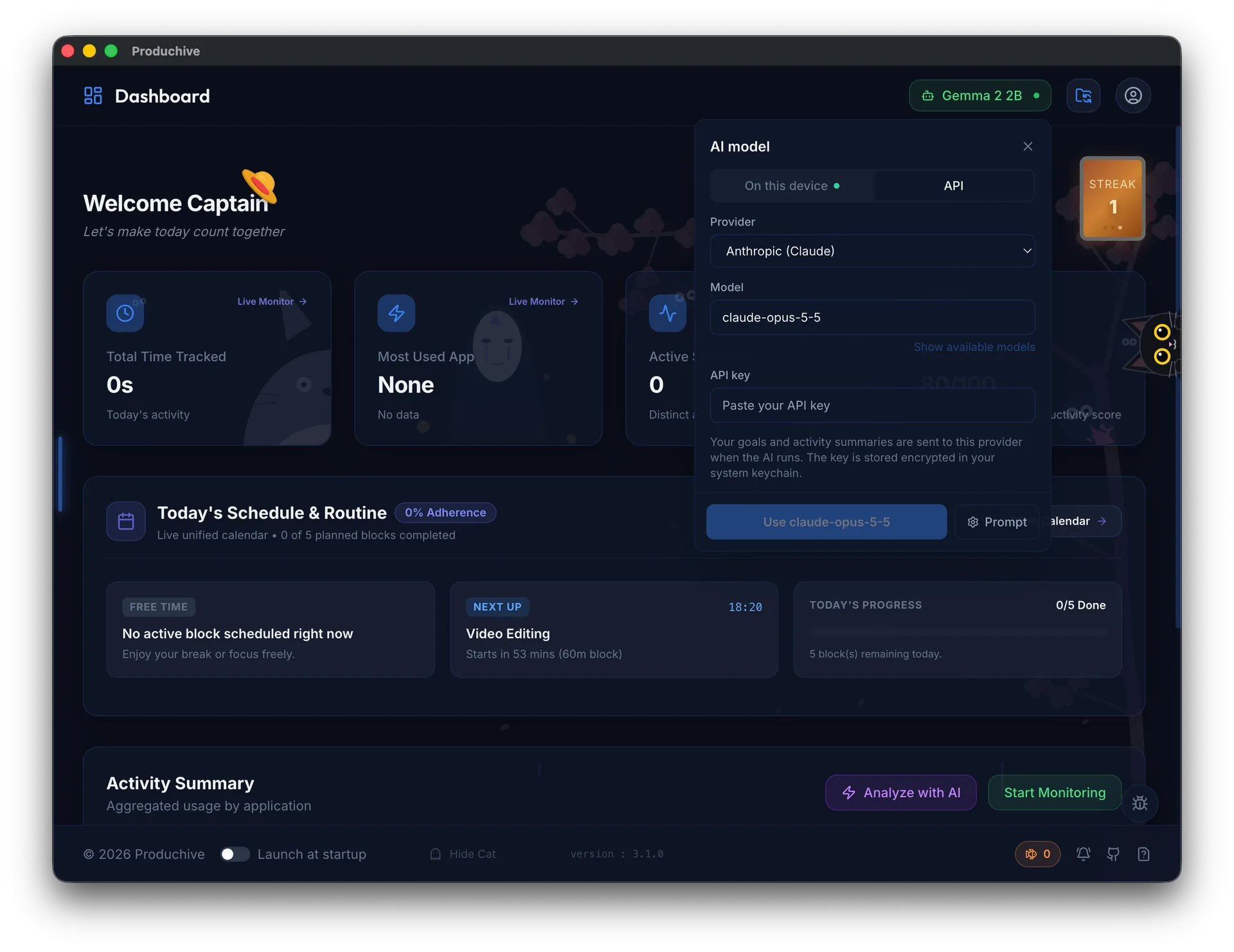
Bring Your Own Model
Use on-device WebGPU models, a local Ollama or LM Studio server, or an API provider.
Deep-Work Planning
Block out coding time in a 24-hour calendar and protect it.
Local-First & Encrypted Sync
Logs stay on your machine; sync uses AES-256-GCM through your own folder.
Open Source
Read it, fork it, or contribute on GitHub.
Get Started in Three Steps
- 1
Install and track
Start monitoring and keep coding; categorization is automatic.
- 2
Plan deep work
Generate a week plan with protected focus blocks.
- 3
Review with AI
Run the AI review on-device or with your own model and API key.
Frequently Asked Questions
Can I use my own LLM?expand_more
Yes. Produchive runs open models on-device via WebGPU by default, and you can connect Ollama, LM Studio, or providers like Claude, OpenAI, Gemini and OpenRouter. API keys are encrypted with your OS keychain.
What does it record?expand_more
The app and window in the foreground and for how long. No keystrokes and no screenshots.
Where's the source?expand_more
On GitHub at github.com/Heisen47/produchive.